Stop Chatting, Start Specifying: Build Better with AI Coding Tools
Structure your AI coding tools with OpenSpec

This article is for anyone who has started using AI to write code, felt a rush of productivity at first, and then slowly watched the project turn into a mess they could not fully explain anymore.
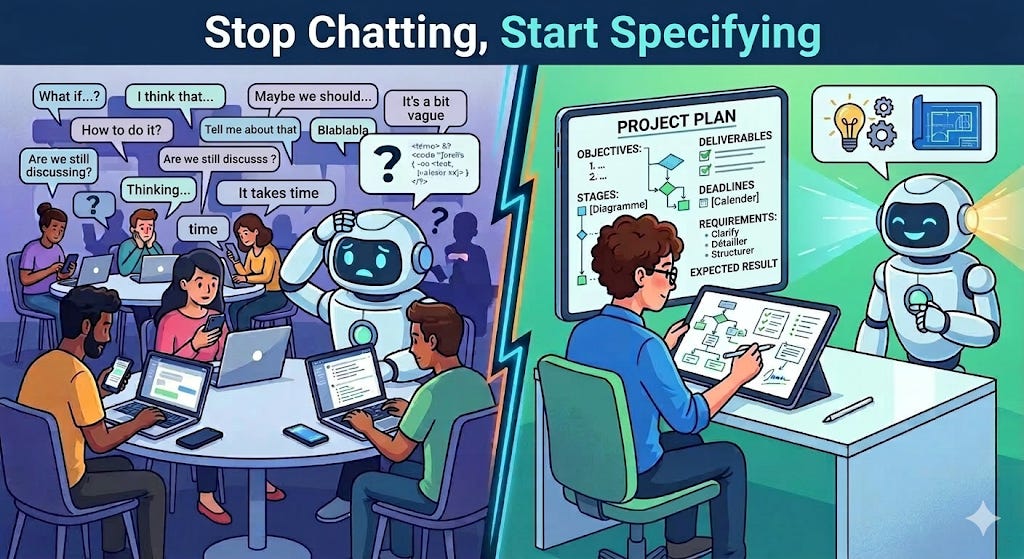
The Magic Chat Box
You open your AI coding assistant. You type: “Build me a task manager app with a login page and a dashboard.”
It generates a large amount of code. You paste it in, run it, and the result resembles what you had in mind, but it is not quite right. The login looks off, so you ask it to fix the login. Now the dashboard breaks, so you ask it to fix the dashboard. It rewrites half the file. You are three hours in and the app looks roughly like what you imagined, but you have no clear understanding of what is actually in the codebase anymore.
This is the standard arc for beginners with AI coding tools. The first few minutes feel productive, but the next few hours reveal how quickly the codebase becomes difficult to reason about.
This is not the AI’s fault, and it is not yours either. The problem is structural.
The Real Problem: No Shared Map
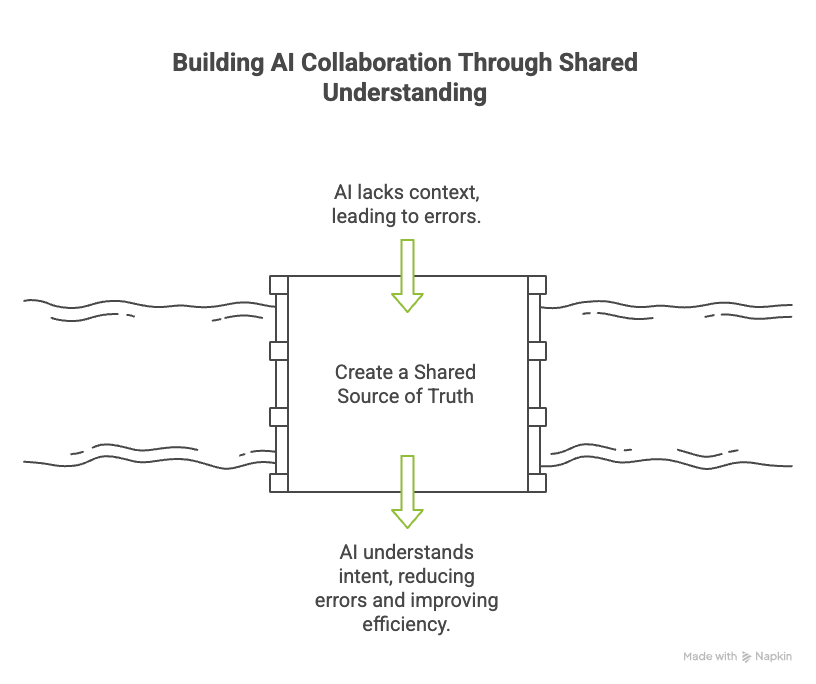
When you and an AI build together through chat, every new session is a fresh start. The AI has no memory of your intent, your constraints, or the decisions you made in a previous conversation. You are not building a shared understanding over time. You are restarting from zero each time you open a new chat window.
What does “task manager” mean to you, exactly? Does it have teams? Due dates? Tags? Recurring tasks? The AI guesses. Sometimes it guesses right. Often it does not, and by the time you notice, the guess is load-bearing code.
The missing piece is not a smarter AI. It is a shared source of truth: a lightweight document that captures what you are building, why, and how, before a single line of code is written.
Spec-Driven Development: A Growing Movement
The industry has started to recognize this problem. A new category of tools and approaches has emerged around the idea that AI-assisted coding works better when it starts from a written specification rather than a chat message. The term for this is spec-driven development, and it shows up in many different forms today.
The approaches differ in how much structure they require and how tightly they integrate with your workflow, but they all share the same core idea: agree on what you are building before you start generating code.
Here is a representative overview of what is available today.
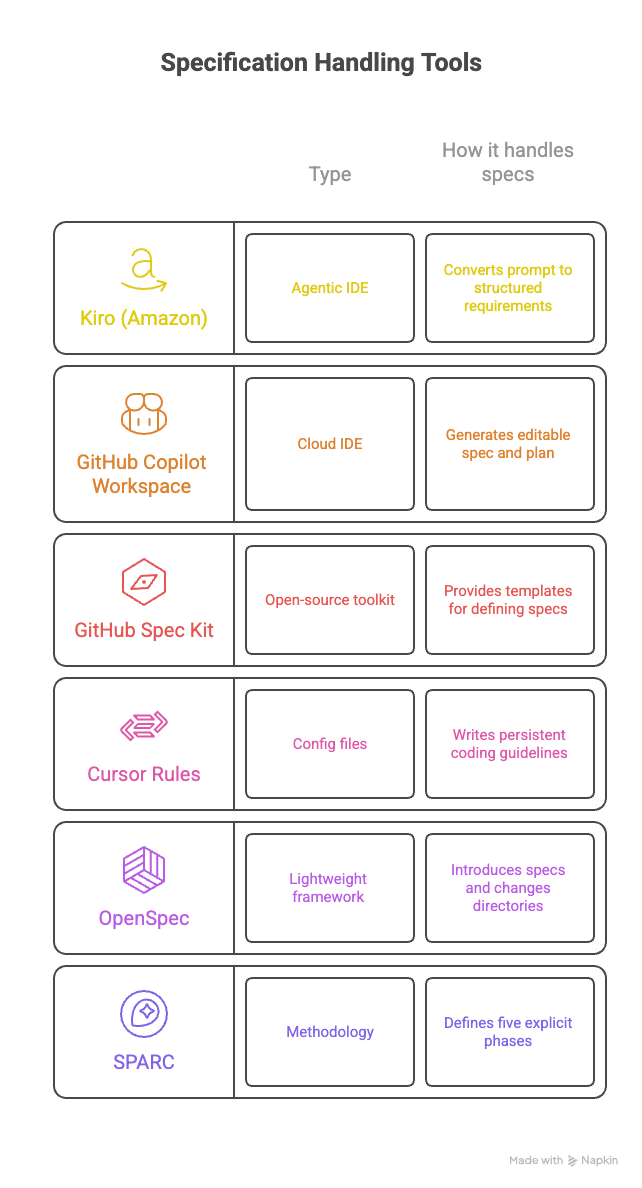
Kiro is an agentic IDE from Amazon that converts your prompt into structured requirements using EARS syntax, then generates a design document and a sequenced task breakdown before any code is written.
GitHub Copilot Workspace is a cloud-based environment that generates a “proposed spec” and an editable plan from a GitHub issue or prompt, allowing you to review and adjust both before implementation begins.
GitHub Spec Kit is an open-source toolkit that provides templates and CLI commands to define a project constitution, a specification, a technical plan, and atomic tasks before involving any AI agent.
Cursor Rules are persistent configuration files (
.cursor/rules) that inject your coding guidelines into the model context on every request, keeping the AI aligned with your standards without requiring manual re-prompting.OpenSpec is a lightweight framework that introduces a
specs/directory and achanges/folder into your project, where each change starts with a proposal and a delta spec before any implementation.SPARC is a methodology that defines five explicit phases (Specification, Pseudocode, Architecture, Refinement, Completion) that can be executed by specialized AI agents working in sequence.
These tools sit on a spectrum. On one end, Cursor Rules are essentially a way to persist coding conventions so the AI does not forget them between sessions. On the other end, Kiro and Devin are full agentic environments that plan, implement, and iterate with minimal human intervention. In the middle, tools like OpenSpec and GitHub Spec Kit focus on the handoff between human intent and AI execution, without replacing your existing editor or workflow.
For a beginner, the most practical entry point is a lightweight framework that does not require switching tools. You want something that fits into your current workflow and teaches you the habit of specifying before coding, rather than a platform that abstracts the process away entirely.
Formalizing Without Going Waterfall
Here is where most developers stop reading. “Formalization” sounds like writing 40 pages of requirements before you touch the keyboard. It sounds like the worst parts of corporate software development. OpenSpec is an open-source framework that introduces just enough structure to make AI-assisted coding coherent. It gives you a specs/ directory as your source of truth, and a changes/ folder where proposed modifications live until they are ready to merge. That is the whole model.
You install it in your project:
npm install -g openspec
openspec init
The resulting scaffold looks like this:
specs/
  auth.md
  dashboard.md
changes/
  add-task-tagging/
    proposal.md
    delta-specs.md
    tasks.md
The proposal captures intent and scope. The delta specs describe what is being added, modified, or removed, not the entire system. The tasks are the implementation checklist. Your AI reads these files before writing code, so it has a clear picture of what it is building.
A Real-Life Example
Say you are building a simple expense tracker. You start with openspec init and run /opsx:propose in your AI assistant to kick off the first feature: adding expenses.
Your proposal.md looks like this:
## Intent
Allow users to log individual expenses with a category, amount, and date.

## Scope
- A form to submit a new expense
- A list view showing all expenses, sorted by date
- No editing or deletion in this iteration

## Out of scope
- Budget limits
- Charts or analytics
- Multi-user support
Three sentences of scope is all it takes. When you tell your AI “implement the expense form”, it knows there is no editing, no charts, and no multi-user complexity. It does not need to guess; it builds what you described.
When you later want to add editing, you do not patch the existing spec. You create a new change: changes/add-expense-editing/. The delta spec says: “MODIFY: expense list to include edit and delete actions.” Your history of decisions stays intact.
Why This Works for Beginners
Experienced developers carry a lot of this context in their heads. They know instinctively what to defer, what to scope out, what assumptions to make explicit. Beginners do not have that yet.
OpenSpec externalizes that thinking. Writing a proposal forces you to answer the questions the AI would otherwise guess at. Because the spec lives in a file rather than in your chat history, it persists across sessions, across tools, and across team members.
You also learn faster. When something goes wrong and you trace it back to a vague spec, you understand why it went wrong. That is a more durable lesson than “the AI hallucinated again.”
Key Takeaways
Chat-based AI coding has a structural flaw: each message is stateless and the AI has no memory of your intent.
The fix is not a smarter AI, it is a shared spec: a lightweight document that captures what you are building before you start.
OpenSpec is brownfield-first: it works on existing projects, not just new ones.
Delta specs beat full rewrites: describe what changes, not the entire system.
Specs make you a better developer: the discipline of writing them builds the same intuition that experienced engineers carry in their heads.
Conclusion
AI coding tools are genuinely powerful. Without direction, that power produces inconsistent results. The developers getting the most out of these tools are not the ones typing the longest prompts. They are the ones who have taken ten minutes to write down what they actually want to build.
OpenSpec gives you the scaffolding to do that, without the ceremony of a formal process. It fits the way real software gets built: iteratively, in existing codebases, by people who are figuring things out as they go.
You can begin with openspec init, write one proposal, and observe how your AI behaves when it has that context before it generates any code.
How Are You Doing It?
Spec-driven development is still a young practice, and there is no single right way to do it. Some developers write a one-paragraph proposal before each feature. Others maintain a full specs/ directory that evolves alongside the codebase. Some use dedicated tools like OpenSpec or Kiro, while others keep it simple with a CLAUDE.md file or a few Cursor rules.
If you are already using AI agents to write code, I would love to hear how you are structuring that work. Are you writing specs before prompting? Are you using a tool to formalize the process, or have you built your own approach? What has worked, and what has not?
Leave a comment or reply directly. Your experience is exactly the kind of signal that helps others figure out where to start.
Useful Resources
OpenSpec
OpenSpec on GitHub — source code, docs, and getting started guide
openspec.dev — official site with installation instructions and tool integrations
Spec-driven tools and frameworks
Kiro — Amazon’s agentic IDE built around structured requirements and task-based implementation
GitHub Spec Kit — open-source toolkit for spec-first development with AI agents
GitHub Copilot Workspace — cloud-based environment that generates editable specs and plans from issues
Cursor Rules documentation — guide to writing persistent context files for the Cursor editor
SPARC methodology — five-phase framework for structured AI-assisted development
Further reading
Spec-Driven Development with AI (GitHub Blog) — GitHub’s take on the practice and the reasoning behind Spec Kit
Beyond Vibe Coding: Amazon Introduces Kiro (InfoQ) — overview of Kiro and the problem it is designed to solve
Spec-Driven Development in 2025 (Thoughtworks) — broader perspective on how the practice is evolving across the industry